


KPlayer 0.9.2 Update
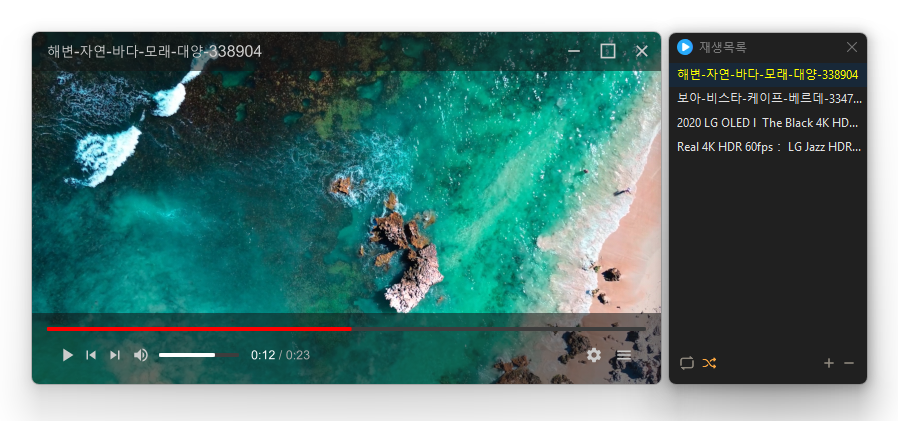
KPlayer (0.9.2) has been updated.
- Powerful playback features based on LibMPV
- Supports major video formats including MP4, MKV, AVI, MOV, WMV, ASF
- Ability to add entire files and folders
- Supports drag-and-drop for reordering in the list
- Repeat and random playback
- Easy addition by drag-and-drop
- Free resizing by grabbing the window edges (minimum 384×216)
History
- Version 0.9.2 (2026/04/24)
- Improved to automatically register and play the playlist when opened directly with the executable - Version 0.9.1 (2026/04/22)
- Significantly improved screen tearing and line issues during video playback
- Smoother and more stable playback support across various PC environments
- Addressed tearing issues that occurred in certain environments
- Enhanced quality and clarity when zooming in on videos - Version 0.9.0 (2026/03/11)
- Initial version released
There is new content available. Click here to check out the latest posts.
Related Links
- Program Source: https://github.com/newkilho/KPlayer
- Update Notice: https://kilho.net/archives/notice/2940
Download
License
- KPlayer is open-source software.
- You can use it freely without spatial restrictions in companies, homes, public offices, schools, etc.
- It can be freely distributed anywhere.
Frequently Asked Questions (FAQ)
- Is KPlayer free?
Yes, KPlayer can be used freely in homes, companies, public offices, schools, and more. - Which video formats does it support?
It supports major media formats such as MP4, MKV, AVI, MOV, WMV, ASF, MP3. - Does it contain ads or adware?
No, KPlayer is completely free of ads and adware. No unnecessary programs are installed during installation. - Is it open-source?
Yes, KPlayer is distributed as open-source. You can check the source code directly, and it is being developed transparently. - Can I add multiple files at once?
Yes, you can add multiple files or folders to the playlist at once by drag-and-drop.

Leave a Reply