


Image Converter 1.6.3 Update
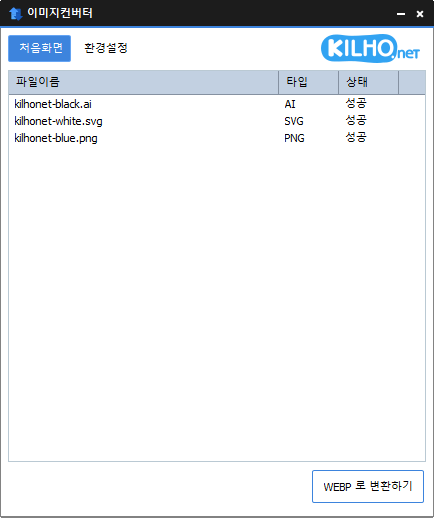
The Image Converter (1.6.3) has been updated.
- You can change various image formats.
- It saves JPG files with higher compression using MozJPEG.
- PDF files are saved as image files for each page.
- If there's a transparent background, it will be preserved in PNG and WEBP formats.
- You can convert it via the right-click context menu.
- No installation is required to use it.
Homepage
- Image Converter: https://imageconverter.kilho.net
History
- Version 1.6.3 (2026/09/03)
- Improved the execution speed of the image conversion feature in the Windows 11 right-click menu
- Resolved issues where right-click menus were not appearing or displayed redundantly on some PCs
- Improved the issue where the explorer briefly froze or the installation did not complete during updates
- Enhanced the sharpness of PDF conversion results and increased stability for large documents
- Improved recognition accuracy for HEIC and AVIF files
- Prevented unnecessary conversion failures by checking for empty or invalid files ahead of time
- Clarified program instructions to match actual supported formats - Version 1.6.2 (2026/08/17)
- Improved PDF conversion engine, enhancing quality and stability of conversions
- Fixed issues where some PDF and image files failed to convert or were not recognized correctly
- Improved cancel function for safely exiting the program during conversions
- Fixed issues where conversion results were saved in the wrong location or left behind incomplete files in some environments
- Fixed issues where conversions failed or incorrectly handled files with special characters in their names
- Enhanced file saving stability and protection features for existing files
- Fixed issues where the right-click conversion menu in Explorer did not display or execute properly
- Fixed issues where Explorer did not restart correctly after the program was removed
- Cleaned up unnecessary features and outdated components, improving overall stability and compatibility
- Improved performance and stability of the file list - Version 1.6.1 (2026/07/16)
- Enhanced stability of image conversions including JPG and multi-page PDF
- Improved recognition accuracy for various image formats including HEIC
- Enhanced processing stability and memory management when running multiple tasks simultaneously
- Improved usability of the right-click menu in Explorer and settings - Version 1.6.0 (2026/05/20)
- Fixed the issue where the default value was displayed incorrectly when setting the width
- Improved sporadic freezing or file retention issues during PDF conversion - Version 1.5.9 (2026/04/10)
- Enhanced usability to directly adjust size and conversion format after adding files
- Moved the size setting location to a more accessible place to improve workflow
- Added options for vertical size specification, making it easier to adjust the desired ratio
- Improved operations to ensure a natural conclusion after automatic conversions
There is a new post. Click here to check the latest post.
Related Links
- Update Guide: https://kilho.net/archives/notice/2940
License
- Image Converter is freeware.
- You can use it freely without space constraints, whether at home, in the office, in government offices, or schools.
- It can be freely distributed anywhere.
Download
Frequently Asked Questions (FAQ)
- Is Image Converter free?
Yes, Image Converter is freely usable anywhere, whether at home, in the office, in government offices, or schools. - What image formats are supported?
Supports conversion for most image formats such as PDF, SVG, PSD, PNG, JPG, GIF, WEBP, etc. - Can I save JPG images with high compression?
Yes, you can save them at higher compression rates using MozJPEG technology. - Is installation required?
No, you can use Image Converter without any installation. - Can I convert multiple images at once?
Yes, you can drag multiple images into the list and convert them all at once.

Leave a Reply