


SecretDNS 4.0.1 Update
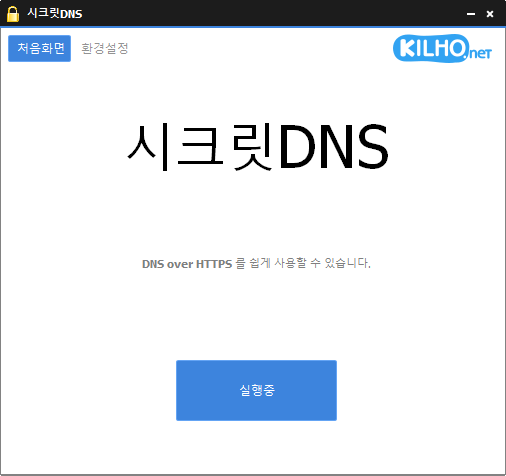
The SecretDNS (4.0.1) has been updated.
- By using the Recommended Options, you can enjoy a smoother experience by whitelisting only the necessary sites.
- Only the SNI strings are fragmented to minimize speed reduction.
- Only specified domains can perform SNI fragmentation and DNS functions.
- Use DNS servers without changing Windows settings.
- Easily check the domains you have accessed.
- Can be used in conjunction with proxy features.
- Available for use without installation.
Homepage
- SecretDNS: https://secretdns.kilho.net
Recommended Options
- DNS Settings – Encryption (DOH)
- SNI Settings – Fragmentation (Custom)
- Whitelist – Enter domains to bypass
History
- Version 4.0.1 (2026/08/25)
- Fixed an issue where the internet was not available immediately after booting on some PCs
- Improved connectivity issues after sleep, VPN, and Wi-Fi changes
- Added automatic recovery feature during internet outages
- Improved DNS connection issues on Windows and some sites
- Improved display of connection waiting and recovery status - Version 4.0.0 (2026/08/24)
- Enhanced connection speed, stability, and privacy protection by allowing direct DNS processing without separate programs
- New encrypted DNS connections support safer internet connectivity
- Separated DNS and site access settings for more consistent connections across various network environments
- Redesigned access history screen for easier tracking of DNS and per-site application results
- Fixed phenomena where DNS response failures and connection drops occurred in some network environments
- Resolved intermittent stability issues that could arise during quick starts or shutdowns of the program
- Fixed connection problems that could occur in proxy-use environments and when the program fails to start
- Fixed occurrences where some logs remained or connection results were incorrectly displayed when access history was off
- Optimized the program by removing unnecessary DNS-related settings and features - Version 3.9.3 (2026/07/30)
- Improved compatibility for playing YouTube and Google videos
- Addressed connectivity issues occurring in some IPv6 network environments
- Prevented unexpected shutdowns due to abnormal server responses
- Enhanced processing stability for Chrome settings - Version 3.9.2 (2026/07/07)
- Added new disguise packet options for stronger responses to blocking environments
- Improved connection success rate and stability in some networks
- Applied the latest bypass methods for enhanced compatibility in various environments
- Made it easy to turn on and off disguise packet features in settings - Version 3.9.1 (2026/06/12)
- Applied fragmentation extension features to all internet environments, including KT internet users
- Changed default to have fragmentation extension features activated upon new installations
There is a new post.Click here to check the latest post.
Related Links
- Update Guide: https://kilho.net/archives/notice/2940
- iPhone Bypass: https://gnu.kilho.net/tiptech/1330
License
- SecretDNS is freeware.
- You can use it freely without space restrictions, whether at home, in companies, public offices, or schools.
- It can be freely distributed anywhere.
Download
Frequently Asked Questions (FAQ)
- Why is it good to use the recommended options?
You can easily utilize features like DNS tampering prevention and SNI eavesdropping bypass while maintaining speed and security. - Does the SNI fragmentation feature reduce speed?
No. This program has only fragmented the SNI strings to minimize speed reduction. - Does the DNS setting change the Windows system settings?
No. It uses its own DNS settings (DNS over HTTPS) without changing Windows settings, providing stability and safety. - What should I do if a specific site cannot be accessed?
You can minimize access issues by setting up a whitelist or specific domain list. - Can I use it without installation?
Yes. There is a portable version available, allowing you to use it without the installation process.

Leave a Reply