


Kalmuri 4.2.6 Update
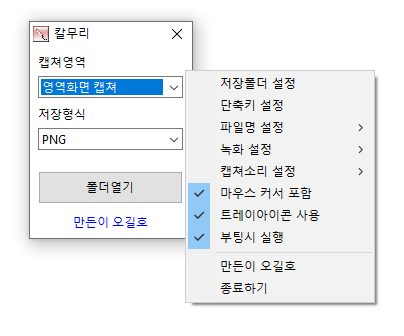
Kalmuri (4.2.6) has been updated.
- Supports various capture areas.
- Supports multiple file formats for saving.
- Extracts text using OCR functionality.
- Supports floating image features.
- A shareable link is created via the image repository.
- Allows video recordings.
- Can extract colors.
- Can be used without installation.
Homepage
- Kalmuri : https://kalmuri.kilho.net
History
- Version 4.2.6 (2026/07/23)
- Improved the issue where the web browser capture window closed in some computer environments.
- Fixed the problem of the capture area unintentionally changing during screen recording.
- Made recording indications clearer and smoother.
- Enhanced the stability for saving OCR text and compatibility with Korean and special characters. - Version 4.2.5 (2026/06/29)
- Fixed an issue where area capture occasionally terminated.
- Improved the stability of area capture and screen recording.
- Fixed capture errors right after starting the program. - Version 4.2.4 (2026/06/03)
- Fixed an issue where the color extraction could occasionally stop.
- Improved capture functionality stability.
- Solved the problem that could cause the program to unexpectedly close in certain situations.
- Improved internal processing for more stable usage. - Version 4.2.3 (2026/05/11)
- Improved web browser capture stability.
- Enhanced exception handling during captures. - Version 4.2.2 (2026/04/13)
- Applied a limit to the size of area capture to fix errors caused by oversized area settings.
- Made it safer to input area size settings according to screen size.
- Improved stability to ensure recording doesn't stop even if there is a failure to log while recording.
There is a new post.Click here to check the latest post.
Related Links
- Update Notice : https://kilho.net/archives/notice/2940
License
- Kalmuri is Freeware.
- You can use it freely without any spatial restrictions in offices, homes, government agencies, schools, etc.
- It can be freely distributed anywhere.
Download
Frequently Asked Questions (FAQ)
- Is Kalmuri free?
Yes, Kalmuri can be used for free anywhere including offices, homes, schools, and government agencies. - What image saving formats does it support?
Supports PNG, JPG, WebP, BMP, GIF formats. - Is video recording also possible?
Yes, it can record video of the full screen or a specified area. - Can I extract text from captured images?
Yes, it allows text extraction from images using Optical Character Recognition (OCR) functionality. - Is program installation required?
No, Kalmuri can be used immediately as a single file without separate installation.

Leave a Reply