


Image Converter 1.6.1 Update
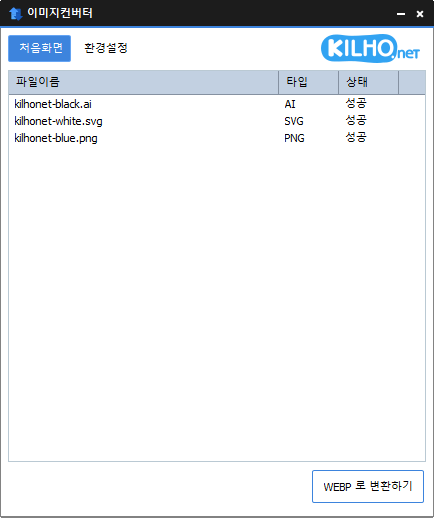
The Image Converter (1.6.1) has been updated.
- You can change various image formats.
- Save JPGs with higher compression using MozJPEG.
- PDF files are saved as image files for each page.
- Transparent backgrounds are preserved in PNG and WEBP formats.
- Convert using the right-click context menu.
- No installation is required.
Homepage
- Image Converter: https://imageconverter.kilho.net
History
- Version 1.6.1 (2026/07/16)
- Improved image conversion stability for JPG and multi-page PDFs
- Enhanced recognition accuracy for various image formats like HEIC
- Improved processing stability and memory management when running multiple tasks simultaneously
- Enhanced usability of the right-click menu in the explorer and configuration settings - Version 1.6.0 (2026/05/20)
- Resolved an issue where the default width setting was displayed incorrectly
- Fixed intermittent freezing or file leftover issues during PDF conversion - Version 1.5.9 (2026/04/10)
- Enhanced usability by allowing immediate setting of size and conversion format after adding files
- Moved size setting location to a more accessible area to improve workflow
- Added option for portrait-based size specifications, making ratio adjustments easier
- Improved operations for a smoother finish after automatic conversions - Version 1.5.8 (2026/03/01)
- Fixed recognition errors for some image files
- Improved stability for support of the latest image formats - Version 1.5.7 (2026/02/03)
- Fixed processing errors in some images
- Enhanced stability in image file processing
There is a new post.Click here to check out the latest post.
Related Links
- Update Announcement: https://kilho.net/archives/notice/2940
License
- The Image Converter is freeware.
- You can use it freely without spatial constraints at home, in companies, public offices, schools, etc.
- It can be freely distributed anywhere.
Download
Frequently Asked Questions (FAQ)
- Is the Image Converter free?
Yes, the Image Converter can be freely used in homes, companies, public offices, schools, and other places. - What image formats are supported?
It supports conversions for most image formats including PDF, SVG, PSD, PNG, JPG, GIF, WEBP, etc. - Can JPG images be saved with high compression?
Yes, it can save JPGs with higher compression using MozJPEG technology. - Is installation required?
No, the Image Converter can be used immediately without installation. - Can multiple images be converted at once?
Yes, you can drag multiple images into the list and convert them all at once.

Leave a Reply