


Windows Cleaner 3.8.8 Update
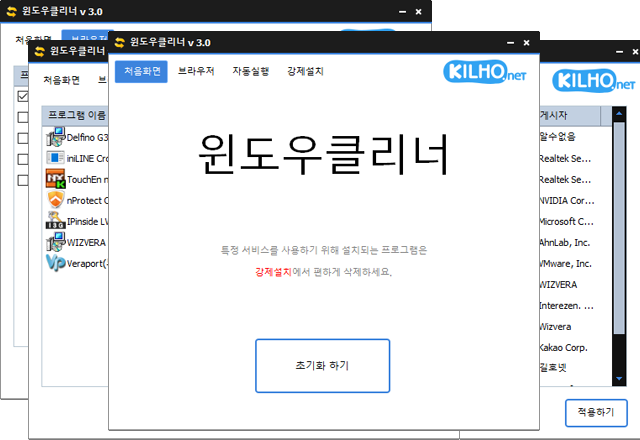
The Windows Cleaner (3.8.8) has been updated.
- You can easily remove security programs that must be forcibly installed when accessing banks.
- It will also neatly terminate malicious programs with the same file name as the default Windows processors.
- It does not terminate essential drivers (graphics, sound).
(Terminating drivers may reduce performance.) - It does not terminate trustworthy antivirus software.
- You can easily stop things that slow down Internet Explorer (like toolbars).
- Available for use without installation.
Homepage
- Windows Cleaner: https://kcleaner.kilho.net
History
- Version 3.8.8 - 2026/07/15
- Faster and more stable memory optimization
- Enhanced desktop display stability across various PC environments
- Reduced unnecessary cleanup processes for improved execution speed
- Efficient memory management focused on browsers
- Added Spanish - Version 3.8.7 - 2026/04/15
- Fixed a problem where the application would force close after clicking the start button due to malfunctioning security programs
- Applied code signing certificate and improved signing method - Version 3.8.6 - 2026/03/19
- Improved functionality for more efficient memory management
- Internal processing optimization for enhanced system response speed
- Reduced unnecessary memory usage for a more comfortable environment
- Overall performance improvements for stable operation - Version 3.8.5 - 2026/03/15
- Support for cleaning working sets, caches, and standby memory
- Added system memory cleanup feature - Version 3.8.2 - 2025/10/24
- Improved execution stability in secure programs or restricted permission environments
Related Links
- Update Notice: https://kilho.net/archives/notice/2940
License
- Windows Cleaner is Freeware.
- You can use it freely without spatial restrictions in offices, homes, public offices, schools, etc.
- It can be freely distributed anywhere.
Download
Frequently Asked Questions (FAQ)
- Is Windows Cleaner free?
Yes, Windows Cleaner can be freely used in companies, homes, schools, public offices, etc. - Can I remove security programs with Windows Cleaner?
Yes, you can easily remove force-installed security programs from banking sites. - Will important drivers or antivirus programs be terminated when using Windows Cleaner?
No, essential drivers (graphics, sound, etc.) and trusted antivirus programs will not be terminated. - Will using Windows Cleaner enhance computer performance?
Yes, it improves the performance of the PC and speeds up web browsers by terminating unnecessary programs and toolbars. - Is program installation required?
No, Windows Cleaner can be used directly as a single file without installation.

Leave a Reply