


SecretDNS 3.9.1 Update
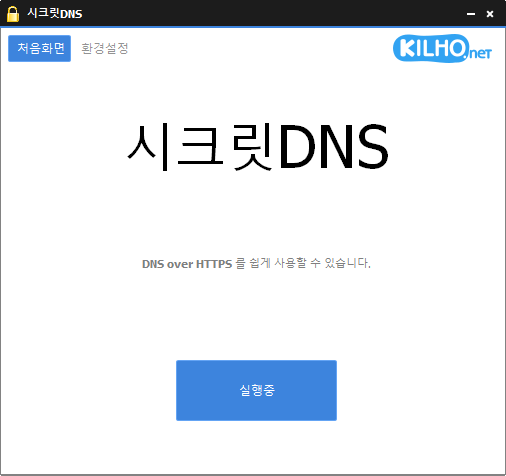
The SecretDNS (3.9.1) has been updated.
- Recommended Options allow you to make exceptions for only the necessary sites for a smoother experience.
- Minimizes speed degradation by fragmenting only the SNI strings.
- Only designated domains can use SNI fragmentation and DNS functionalities.
- Use DNS servers without changing Windows settings.
- Easily check the domains you are connected to.
- Can be used in conjunction with proxy functionality.
- Can be used without installation.
Homepage
- SecretDNS: https://secretdns.kilho.net
Recommended Options
- DNS Settings - Encryption (DOH)
- SNI Settings - Fragmentation (Manual)
- Designated List - Enter domains to bypass
History
- Version 3.9.1 (2026/06/12)
- Fragmentation extension feature applied to all internet environments including KT internet users
- Changed to have fragmentation extension feature activated by default during new installations - Version 3.9.0 (2026/05/23)
- Addressed execution and display issues caused by errors in some security programs like nProtect, Fasoo, MarkAny
- Removed loading display that could conflict with certain security programs
- Improved stability to execute more reliably even in environments with security program errors - Version 3.8.9 (2026/04/28)
- Improved termination and restart issues in some user environments
- Enhanced response to delays and exceptions occurring on specific PCs
- Overall improved stability and operational reliability - Version 3.8.8 (2026/04/06)
- Improved to prevent crashes due to incorrect operation of Fasoo DRM in advance
- Added frequently used sites to the whitelist significantly to enhance connectivity
- Improved the whitelist processing method to streamline the setting application flow
- Separated user list and default list for a more stable operating structure
- Provided a stable execution environment across various environments - Version 3.8.7 (2026/03/17)
- Improved execution and termination actions through internal structure cleanup
- Enhanced processing for exceptions/designated lists during execution
- Improved network operation stability
There is a new post.Click here to check the latest post.
Related Links
- Update Guide: https://kilho.net/archives/notice/2940
- iPhone Bypass: https://gnu.kilho.net/tiptech/1330
License
- SecretDNS is Freeware.
- You can use it freely without space constraints at companies, homes, public offices, schools, etc.
- It can be distributed freely anywhere.
Download
Frequently Asked Questions (FAQ)
- Why is it good to use Recommended Options?
It allows easy use of features such as DNS tampering prevention and SNI eavesdropping bypass while ensuring both speed and security. - Does the SNI fragmentation feature slow down the speed?
No. This program minimizes speed degradation by fragmenting only the SNI strings. - Does the DNS setting change the Windows system settings?
No. It uses its own DNS settings (DNS over HTTPS) without changing Windows settings for stability and safety. - What should I do if I can't access a specific site?
You can minimize access issues by setting a whitelist or designated domain list. - Can I use it without installation?
Yes. A portable version is provided, so you can use it right away without the installation process.

Leave a Reply