


Windows Cleaner 3.8.7 Update
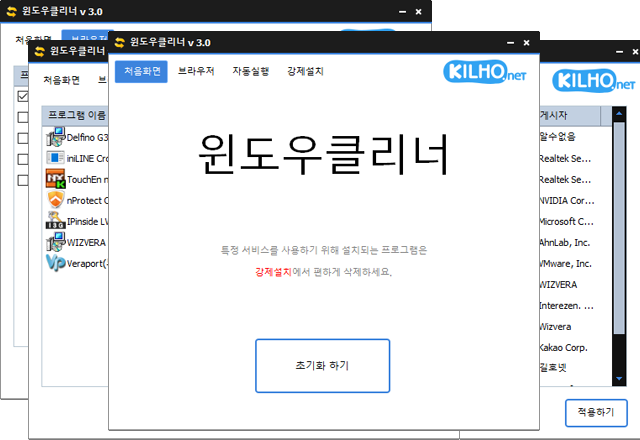
Windows Cleaner (3.8.7) has been updated.
- It allows easy removal of security(?) programs that need to be forcibly installed when accessing bank websites.
- It cleanly ends malware with the same filenames as the default Windows processes.
- It does not terminate essential drivers (graphics, sound).
(Terminating drivers can reduce performance.) - It does not terminate trusted antivirus software.
- You can easily stop things that slow down your browser (like toolbars).
- No installation is required.
Homepage
- Windows Cleaner : https://kcleaner.kilho.net
History
- Version 3.8.7 - 2026/04/15
- Fixed a problem that forced termination after clicking the execute button due to some security programs malfunctioning
- Applied code signing certificate and improved signing methods - Version 3.8.6 - 2026/03/19
- Improved for more efficient memory usage management
- Optimized internal processing for faster system response
- Reduced unnecessary memory usage for a more comfortable environment
- Overall performance improvement for stable operation - Version 3.8.5 - 2026/03/15
- Supported cleaning up working set, cache, and standby memory
- Added system memory cleaning functionality - Version 3.8.2 - 2025/10/24
- Improved execution stability in limited permission environments or with security programs - Version 3.8.0 - 2025/10/23
- Improved program termination stability
- Added multilingual support
There is a new post.Click here to check the latest post.
Related Links
- Update Guide : https://kilho.net/archives/notice/2940
License
- Windows Cleaner is Freeware.
- You can use it freely in any space such as companies, homes, public offices, and schools.
- It can be distributed anywhere without restrictions.
Download
Frequently Asked Questions (FAQ)
- Is Windows Cleaner free?
Yes, Windows Cleaner can be used freely and for free anywhere, including companies, homes, schools, and public offices. - Can I remove security programs with Windows Cleaner?
Yes, it can easily remove enforced security programs installed on bank websites. - Will important drivers or antivirus programs be terminated when using Windows Cleaner?
No, essential drivers (graphics, sound, etc.) and trusted antivirus programs will not be terminated. - Does using Windows Cleaner improve computer performance?
Yes, it can enhance the performance of your PC and improve the speed of your web browser by terminating unnecessary programs and toolbars. - Is installation required for the program?
No, Windows Cleaner can be used directly as a single file without installation.

Leave a Reply