


Kalmuri 4.2.2 Update
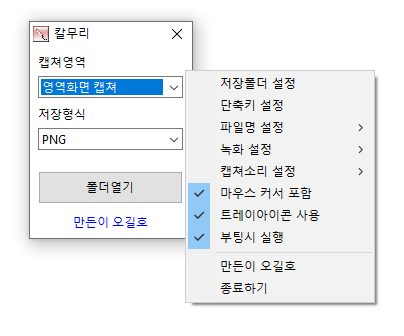
Kalmuri (4.2.2) has been updated.
- Supports various capture areas.
- Supports multiple file formats for saving.
- Extracts text through OCR functionality.
- Supports floating image feature.
- A shareable link is generated through the image repository.
- Can record videos.
- Can extract colors.
- Can be used without installation.
Homepage
- Kalmuri : https://kalmuri.kilho.net
History
- Version 4.2.2 (2026/04/13)
- Applied a limit on capture area size to fix errors from excessively large area settings.
- Improved input safety for area size settings to match screen size.
- Stability improvements to ensure recording doesn't stop even if log file recording fails. - Version 4.2.1 (2026/03/20)
- Enhanced color copy functionality allowing to copy in various formats (HEX, RGB, etc.) at once.
- Improved setting selection method for a faster and more intuitive user experience.
- Fixed issues where some settings were not saved, improving stability.
- Improved file saving process to minimize potential errors.
- Streamlined unnecessary code for a lighter and faster execution environment. - Version 4.2.0 (2026/02/27)
- Enhanced screen recording methods for improved recording stability and quality.
- Automatic detection of audio output devices and compatibility improvements.
- Improved audio dropouts during silent intervals.
- Enhanced recording video quality and frame stability.
- Improved stability when ending recordings. - Version 4.1.9 (2026/02/12)
- Improved UI display actions when selecting save formats.
- Enhanced memory management stability after drag capture.
- Strengthened stability when receiving external commands. - Version 4.1.8 (2026/01/22)
- Enhanced stability during capture and OCR processing.
- Improved management methods for recording and capturing operation status.
There are new posts.Click here to check the latest posts.
Related Links
- Update Guide: https://kilho.net/archives/notice/2940
License
- Kalmuri is Freeware.
- It can be used freely without spatial constraints in offices, homes, government offices, schools, etc.
- It can be freely distributed anywhere.
Download
Frequently Asked Questions (FAQ)
- Is Kalmuri free?
Yes, Kalmuri can be used for free in companies, homes, schools, government offices, and more. - What image save formats are available?
Supports PNG, JPG, WebP, BMP, and GIF formats. - Is it possible to record videos?
Yes, you can record video in full screen or specific areas. - Can I extract text from captured images?
Yes, you can extract text within images using OCR functionality. - Is installation required for the program?
No, Kalmuri can be used directly as a single file without installation.

Leave a Reply