


MemoryCleaner 1.9.8 Update
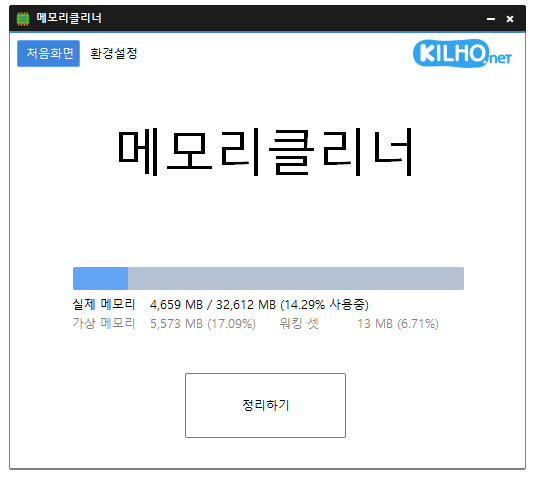
The MemoryCleaner (1.9.8) has been updated.
- It cleans various memory areas.
- Automatically cleans according to settings.
- No installation is required for use.
Homepage
- MemoryCleaner: https://memorycleaner.kilho.net
History
- Version 1.9.8 (2026/04/08)
- Improved startup options and automatic execution actions to enhance stability
- Improved issues with freezing and abnormal behavior in certain environments
- Enhanced overall responsiveness and stability through unnecessary processing optimization
- Improved dark mode compatibility in the latest Windows environments - Version 1.9.7 (2026/03/21)
- Further natural improvements to automatic memory cleaning to enhance background usage experience
- Separated manual and automatic cleaning actions to provide optimal cleaning quality based on the situation - Version 1.9.6 (2026/03/10)
- Added current memory usage display to tray icon
- Enhanced stability of memory status display updates - Version 1.9.5 (2026/02/24)
- Corrected behavior to prevent automatic cleaning during fullscreen usage - Version 1.9.4 (2026/02/01)
- Prevention of automatic memory cleaning during fullscreen usage
There is a new post. Click here to check out the latest post.
Related Links
- Update Notice: https://kilho.net/archives/notice/2940
License
- MemoryCleaner is Freeware.
- You can use it freely in any place, such as offices, homes, public institutions, and schools.
- It can be freely distributed anywhere.
Download
Frequently Asked Questions (FAQ)
- Is MemoryCleaner free?
Yes, MemoryCleaner can be used for free in any setting, including companies, homes, schools, and public institutions. - How do I clean memory?
After running the program, click the 'Clean' button to clean memory immediately. - Can memory be cleaned automatically?
Yes, you can set it to automatically clean based on memory usage or to a specific time interval. - Is installation required?
No, it can be run directly without any installation process.

Leave a Reply