


Kalmuri 4.1.5 Update
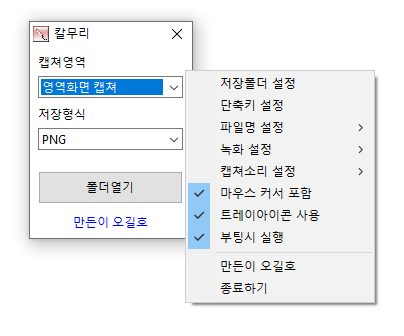
The Kalmuri (4.1.5) has been updated.
- Supports various capture areas.
- Supports multiple file save formats.
- Extracts text using OCR functionality.
- Supports floating image features.
- Share links are generated through the image warehouse.
- Allows video recording.
- Can extract colors.
- No installation needed; can be used directly.
Homepage
- Kalmuri: https://kalmuri.kilho.net
History
- Version 4.1.5 (2025/11/20)
- Improved folder selection compatibility on older Windows
- Fixed issue where WebP quality settings were not being saved - Version 4.1.4 (2025/10/25)
- Bug fixes and stability improvements - Version 4.1.2 (2025/10/24)
- Improved stability when stopping recordings of specified areas
- Improved behavior for window opening and settings display - Version 4.1.0 (2025/09/23)
- Fixed drag capture memory error in some environments - Version 4.0.9 (2025/08/26)
- Applied lossless encoding at 100% WebP quality
- Fixed error saving WebP settings
Related Links
- Update guide: https://kilho.net/archives/notice/2940
License
- Kalmuri is Freeware.
- You can use it freely in any setting, be it a company, home, government office, or school.
- It can be freely distributed anywhere.
Download
Frequently Asked Questions (FAQ)
- Is Kalmuri free?
Yes, Kalmuri can be used for free in any environment, whether it's a company, home, school, or government office. - What image save formats are supported for capture?
Supports PNG, JPG, WebP, BMP, and GIF formats. - Can it record videos?
Yes, you can record either the full screen or a designated area as a video. - Can text be extracted from captured images?
Yes, the Optical Character Recognition (OCR) feature allows for text extraction from images. - Is installation required?
No, Kalmuri can be used directly as a single file without installation.

Leave a Reply