


Image Converter 1.5.5 Update
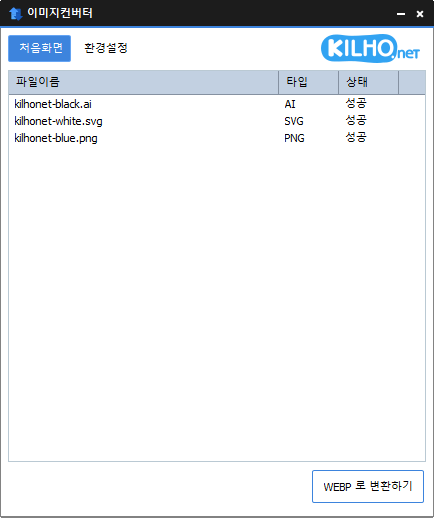
The Image Converter (1.5.5) has been updated.
- You can change various image formats.
- It saves JPG files with a higher compression rate using MozJPEG.
- Each page of a PDF file is saved as an image file.
- If the background is transparent, it will be preserved in PNG and WEBP.
- You can convert files using the right-click context menu.
- No installation is required.
Homepage
- Image Converter: https://imageconverter.kilho.net
History
- Version 1.5.5 (2025/10/15)
- Fixed errors that occurred during conversion - Version 1.5.4 (2025/09/22)
- Changed installation when replacing components - Version 1.5.3 (2025/09/09)
- Applied lossless encoding at WebP quality 100%
- Changed settings from INI file to registry - Version 1.5.2 (2025/04/22)
- Bug fixes and stability improvements - Version 1.5.0 (2025/02/18)
- Adjusted order when adding multiple files in shell menu
- Added support for AVIF format
Related Links
- Update Notice: https://kilho.net/archives/notice/2940
License
- The Image Converter is freeware.
- You can use it freely without space constraints such as in companies, homes, public offices, schools, etc.
- You can freely distribute it anywhere.
Download
Frequently Asked Questions (FAQ)
- Is the Image Converter free?
Yes, the Image Converter is completely free to use anywhere, including homes, companies, public offices, and schools. - What image formats are supported?
It supports conversions for most image formats including PDF, SVG, PSD, PNG, JPG, GIF, WEBP, and more. - Can I save JPG images with a high compression rate?
Yes, it can save JPGs with a greater compression rate using MozJPEG technology. - Is an installation process required?
No, the Image Converter can be used immediately without any installation. - Can I convert multiple images at once?
Yes, you can drag multiple images to the list and convert them all at once.

Leave a Reply