


SecretDNS 4.0.5 Update
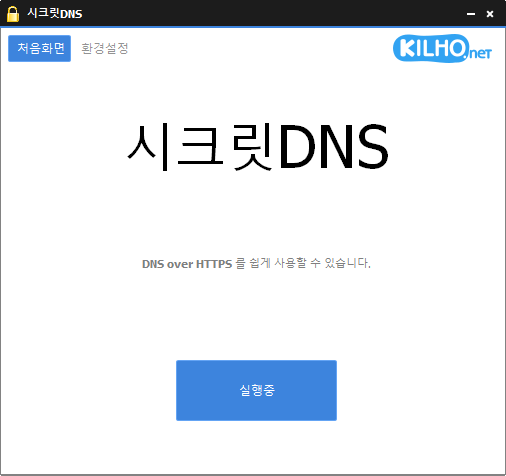
SecretDNS (4.0.5) has been updated.
- Recommended Options allow you to create exceptions for only the necessary sites for a smoother experience.
- Only specified domains can utilize SNI fragmentation and DNS functions.
- Use a designated DNS server without changing Windows settings.
- Can be used in conjunction with proxy functionality.
Homepage
- SecretDNS: https://secretdns.kilho.net
Recommended Options
- DNS Settings - Encryption (DOH)
- SNI Settings - Fragmentation (Manual)
- Designated List - Enter domains to bypass
History
- Version 4.0.5 (2026/09/15)
- Improved connection stability with automatic VPN server switch
- Enhanced visibility of VPN usage history - Version 4.0.4 (2026/09/14)
- Improved update process and auto-launch feature for more stable startups
- Renewed proxy mix functionality for enhanced connection stability
- Simplified editing of sites for proxy application from dedicated screen
- Saved proxy mix settings persist even after a restart
- Added functionality to directly add and select preferred DNS servers
- Resolved encryption DNS connection issues in certain ISP environments
- Added support for domain addresses and Cloudflare connection addresses
- Enhanced guidance for selecting alternative servers in case of encryption DNS connection failures
- Improved clarity of DNS setting names and buttons
- Organized accessibility status messages more clearly - Version 4.0.2 (2026/09/04)
- Resolved intermittent internet connectivity issues in certain environments
- Enhanced automatic continuity of internet connection even when SecretDNS is off
- Improved connection stability by automatically switching unstable DNS servers
- Enhanced access to sites during temporary DNS errors or access surges
- Automatically restored encrypted connections when the network stabilized - Version 4.0.1 (2026/08/25)
- Fixed issue where internet did not work immediately after booting on some PCs
- Improved connectivity issues after power-saving, VPN, Wi-Fi changes
- Added auto-recovery feature during internet outages
- Resolved DNS connection issues for Windows and specific sites
- Enhanced visual display of connection waiting and recovery status - Version 4.0.0 (2026/08/24)
- Improved connection speed, stability, and privacy by handling DNS directly without additional programs
- Newly applied encryption for DNS connections for safer internet access
- Separated DNS and site access settings for more consistent connections across various network environments
- Enhanced access record screen for easier visibility of DNS and site-specific results
- Fixed issues with DNS response failures and connectivity drops in certain network environments
- Resolved stability issues that occurred during quick program startups or shutdowns
- Fixed connection problems that could arise when using proxy settings or failing to start the program
- Corrected instances where records persisted or connection outcomes displayed incorrectly while access history was disabled
- Optimized the program by removing unnecessary DNS-related settings and features
Related Links
- Update Instruction: https://kilho.net/archives/notice/2940
- iPhone Bypass: https://gnu.kilho.net/tiptech/1330
License
- SecretDNS is Freeware.
- You can use it freely in workplaces, homes, government offices, schools, and other spaces without restriction.
- You are free to distribute it anywhere.
Download
Frequently Asked Questions (FAQ)
- Why is it good to use recommended options?
It allows easy access to features like DNS spoofing prevention and circumventing SNI eavesdropping, while ensuring speed and security at the same time. - Does SNI fragmentation affect speed?
No, this program only fragments the SNI string to minimize speed reduction. - Does changing DNS settings affect Windows system settings?
No, it uses its own DNS settings (DNS over HTTPS) without changing Windows settings, ensuring stable and secure operation. - What to do if a specific site cannot be accessed?
You can minimize access issues by setting whitelist or designated domain lists. - Can it be used without installation?
Yes, a portable version is available, so it can be used immediately without installation.

Leave a Reply