


메모리클리너 2.0.3 업데이트
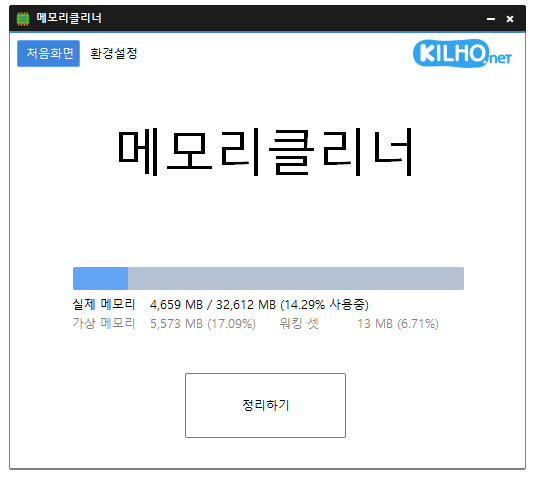
메모리클리너(2.0.3) 가 업데이트되었습니다.
- 다양한 메모리 영역을 정리합니다.
- 설정에 따른 자동 정리를 합니다.
- 설치 없이 사용 가능합니다.
홈페이지
- 메모리클리너 : https://memorycleaner.kilho.net
History
- Version 2.0.3 (2026/09/03)
- Improved fullscreen detection for uninterrupted gaming and video playback
- Enhanced stability by preventing errors that could occur during shutdown on some systems
- Fixed incorrect completion notifications when memory cleanup fails
- Optimized automatic cleanup to prevent excessive repeated cleaning on certain systems
- Prevented configuration errors caused by corrupted or outdated settings - Version 2.0.2 (2026/08/13)
- Added an option to skip memory cleanup while using full-screen apps
- Improved an issue where auto-start settings could remain after uninstalling in some environments
- Fixed an issue where options could change unexpectedly while loading settings in some environments
- Improved auto-start reliability - Version 2.0.1 (2026/07/13)
- Enhanced browser memory cleanup for a smoother experience
- Improved long-running stability by resolving status update and shutdown issues
- Fixed an issue that could stop memory cleanup after a failure
- Improved notification and settings reliability
- Removed unnecessary system code for better stability
- Added support for Spanish language. - Version 2.0.0 (2026/06/08)
- Improved stability of automatic memory monitoring
- Fixed a timer error that could occur during long-running sessions
- Fixed an issue where memory cleaning could appear stuck after an error
- Improved startup handling to show an error message if timer initialization fails - Version 1.9.9 (2026/05/11)
- Improved startup stability with certain security software such as nProtect and Fasoo
- Fixed conflicts caused by incorrect hooking behavior from certain antivirus/security modules
- Enhanced overall stability and compatibility
- Improved memory cleaning reliability
- Improved tray icon and UI behavior
- Cleaned up and optimized internal processing
관련링크
- 업데이트 안내 : https://kilho.net/archives/notice/2940
라이센스
- 메모리클리너는 Freeware 입니다.
- 회사, 집, 관공서, 학교 등 공간 제약 없이 마음대로 사용하실 수 있습니다.
- 자유롭게 어디에나 배포가 가능합니다.
DOWNLOAD
자주 묻는 질문(FAQ)
- 메모리클리너는 무료인가요?
네, 메모리클리너는 회사, 가정, 학교, 관공서 등 어디서든 무료로 사용 가능합니다. - 메모리 정리는 어떻게 하나요?
프로그램 실행 후 ‘정리하기’ 버튼을 클릭하면 바로 메모리를 정리할 수 있습니다. - 메모리를 자동으로 정리할 수 있나요?
네, 설정을 통해 메모리 사용률 또는 일정 시간 간격으로 자동 정리가 가능합니다. - 설치 과정이 필요한가요?
아니요, 별도의 설치 과정 없이 바로 실행하여 사용할 수 있습니다.

Leave a Reply