


ZipMania Update 0.9.1
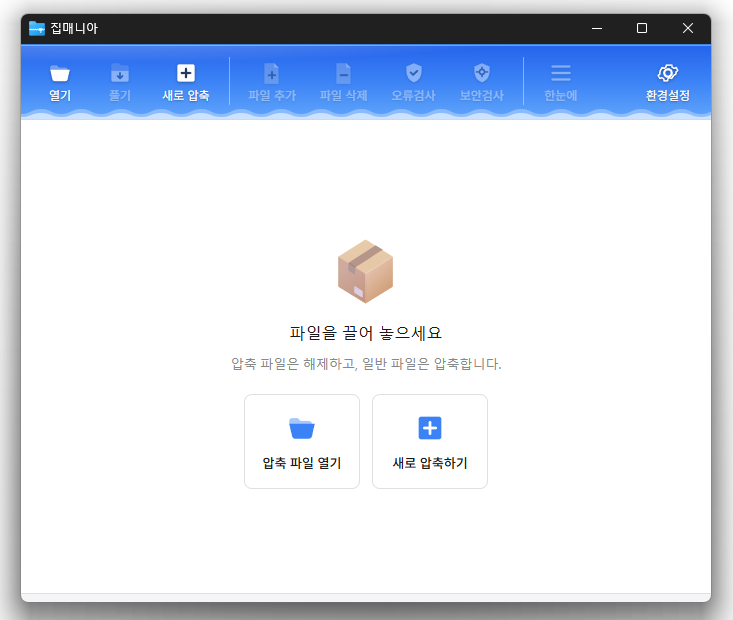
The ZipMania (0.9.1) is now released.
- You can open various compressed files such as ZIP, RAR, 7Z, EGG, ALZ, ISO, and more.
- You can preview images and texts directly without extracting.
- Fast compression and decompression with a dedicated ZIP engine.
- Supports password setting, file name encryption, and split compression.
- Compress and decompress directly from the right-click menu in Explorer.
- Free to use without ads or bundled installations.
History
- Version 0.9.1 (2026/08/23)
- Improved the ability to identify files that could not be processed and the reasons during compression and decompression
- Added Ctrl+A for select all, Shift for continuous selection, and PageUp/PageDown for quick navigation
- Fixed the issue of unnecessary right-click menus appearing in the compression, decompression, and settings windows
- Improved display of the file selection window and error messages to match the selected language
- Fixed the problem where folder selection display might not refresh normally in some cases
- Overall improvements in the stability of opening files, drag operations, compression, and decompression - Version 0.9.0 (2026/08/18)
- Initial version released
Related Links
- Program Source: https://github.com/newkilho/ZipMania
- Update Notice: https://kilho.net/archives/notice/2940
Download
License
- ZipMania is open-source software.
- You can use it anywhere without restrictions, whether at home, work, or school.
- You can freely distribute it anywhere.
Frequently Asked Questions (FAQ)
- What types of compressed files are supported?
Supports various compressed files including ZIP, RAR, 7Z, EGG, ALZ, ISO. - Does it contain ads or adware?
No, ZipMania does not have ads or adware. No unnecessary programs will be installed during setup. - Is it open source?
Yes, ZipMania is distributed as open source. You can review the source code directly, and it is developed transparently. - Can I check files without extracting them?
Yes, you can preview images and text files directly without extracting. - Can I compress or extract files directly from the Explorer?
Yes, you can compress or extract files directly from the right-click menu in Windows Explorer.

Leave a Reply