


Kalmuri 4.1.6 Update
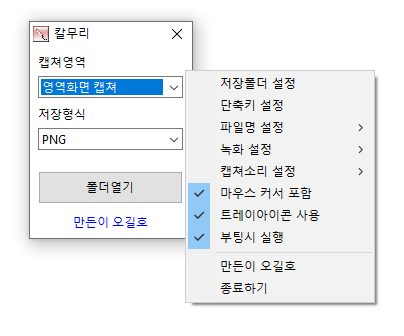
Kalmuri (4.1.6) has been updated.
- Supports various capture areas.
- Supports multiple file formats for saving.
- Extracts text using OCR functionality.
- Supports floating image features.
- A sharing link is generated via the image repository.
- Can record videos.
- Can extract colors.
- No installation required; can be used directly.
Homepage
- Kalmuri: https://kalmuri.kilho.net
History
- Version 4.1.6 (2025/12/12)
- Added option to copy to clipboard when saving images
- Separated include mouse settings into capture/record for improved usability
- Improved the pop-up menu layout for better visibility - Version 4.1.5 (2025/11/20)
- Improved folder selection compatibility for older Windows
- Fixed issue with WebP quality settings not being saved - Version 4.1.4 (2025/10/25)
- Bug fixes and stability improvements - Version 4.1.2 (2025/10/24)
- Improved stability during area-specific recording and application opening actions
- Enhanced the display of settings windows - Version 4.1.0 (2025/09/23)
- Fixed drag capture memory error in certain environments
Related Links
- Update Notice: https://kilho.net/archives/notice/2940
License
- Kalmuri is Freeware.
- You can use it freely without spatial limitations in companies, homes, offices, schools, etc.
- It can be freely distributed anywhere.
Download
Frequently Asked Questions (FAQ)
- Is Kalmuri free?
Yes, Kalmuri can be used for free in any settings such as companies, homes, schools, and offices. - What image formats are supported for saving captures?
It supports PNG, JPG, WebP, BMP, and GIF formats. - Can I record videos as well?
Yes, you can record either the full screen or a designated area in video format. - Can I extract text from captured images?
Yes, it is possible to extract text from images using the Optical Character Recognition (OCR) functionality. - Is installation required?
No, Kalmuri can be used directly as a single file without installation.

Leave a Reply